 GenPixy
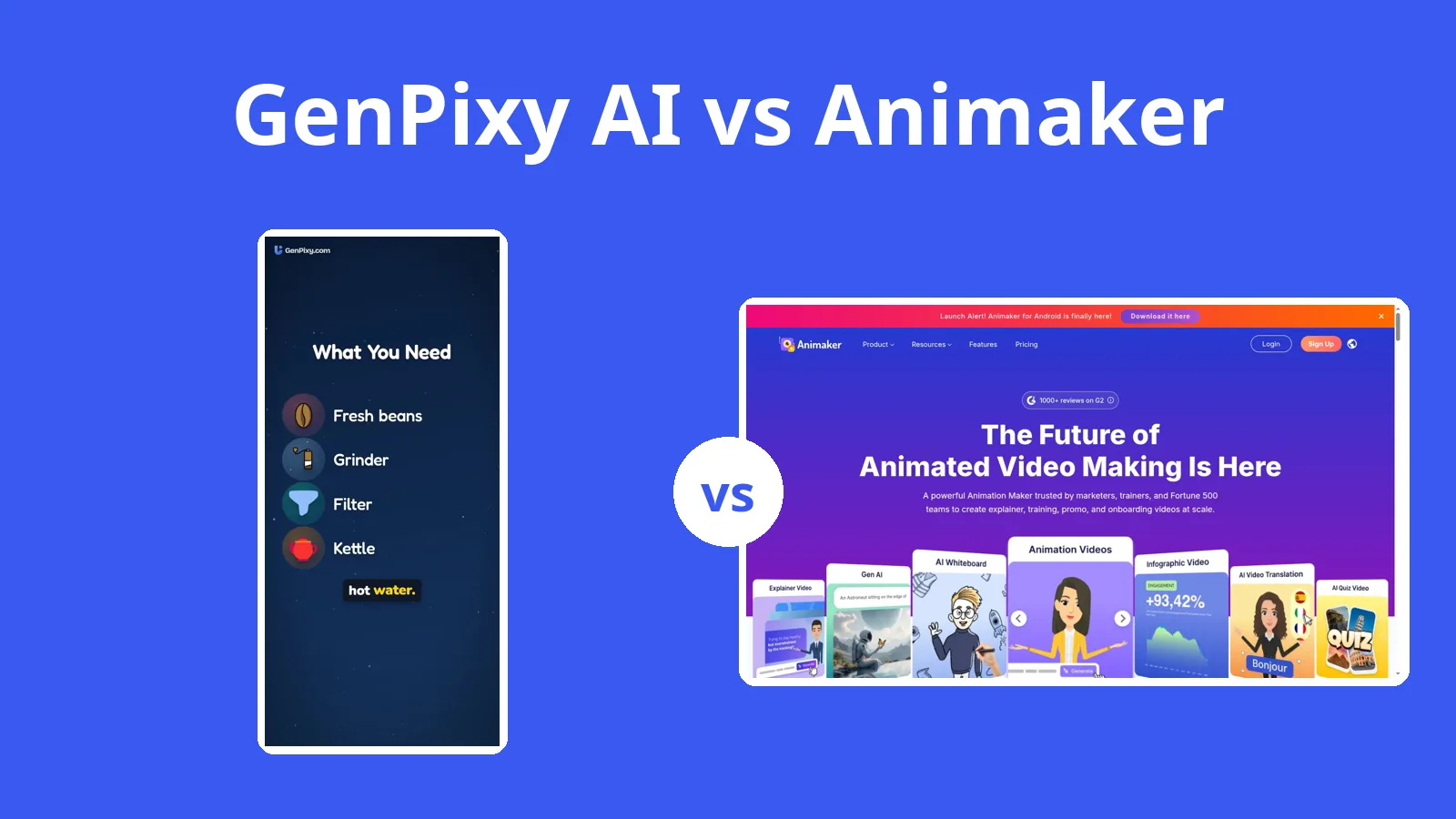
GenPixy AI vs Powtoon: Which Is Better for Explainers?
Powtoon's AI features spend credits from plans that start at $15 a month billed yearly. GenPixy AI makes a narrated explainer from one topic, with no subscription.
5分で読めます
このページはまだ翻訳されていないため、英語で表示しています。
Powtoon is a business video platform with team plans, and most of its AI features spend credits; GenPixy AI makes one explainer at a time from a typed topic and charges by the video, not by the month. Powtoon's cartoon templates, AI avatars, and team controls are strengths, though they come with a credit cap and a subscription. For someone who needs a clear explainer quickly, GenPixy AI writes the script, draws the scenes, narrates, and adds captions at a pay-as-you-go price.
Video inputs, running time, and price
Powtoon's figures come from its own site, help center, and pricing page, all read on 27 October 2026.
| GenPixy AI | Powtoon | |
|---|---|---|
| How a video is made | AI makes the whole video: script, drawings, voice, and captions | Drag-and-drop editor with templates, plus AI Anything to Video |
| What you start with | A topic, or your own script (up to 5,000 characters) | A template, or a doc, text, or topic for the AI |
| Look | Whiteboard (hand-drawn) or Full Color | Cartoon characters, infographics, AI clips, and avatars |
| Video shape | Landscape 16:9 or Portrait 9:16 | Not stated on the pricing page |
| Video length | 30 seconds to 10 minutes | 3 minutes free; 10 to 30 minutes on paid plans |
| Voice | AI narration in 70+ languages, male or female voice | AI text to speech (uses credits), AI dubbing and translation |
| Captions and extras | Word-by-word captions, SRT file, thumbnail, YouTube title and hashtags | Not stated on the pages we read |
| Free option | 3 videos a day, up to 60 s, 720p, no card | Free plan: 720p, up to 3 minutes, Powtoon watermark |
| Paid price | Credits from $1.00, no subscription; about $0.15 per 1-minute 720p video | Lite $15/month billed yearly ($49 monthly) |
| Works on | Browser on a phone or computer | Browser |
What GenPixy AI asks for and what it returns
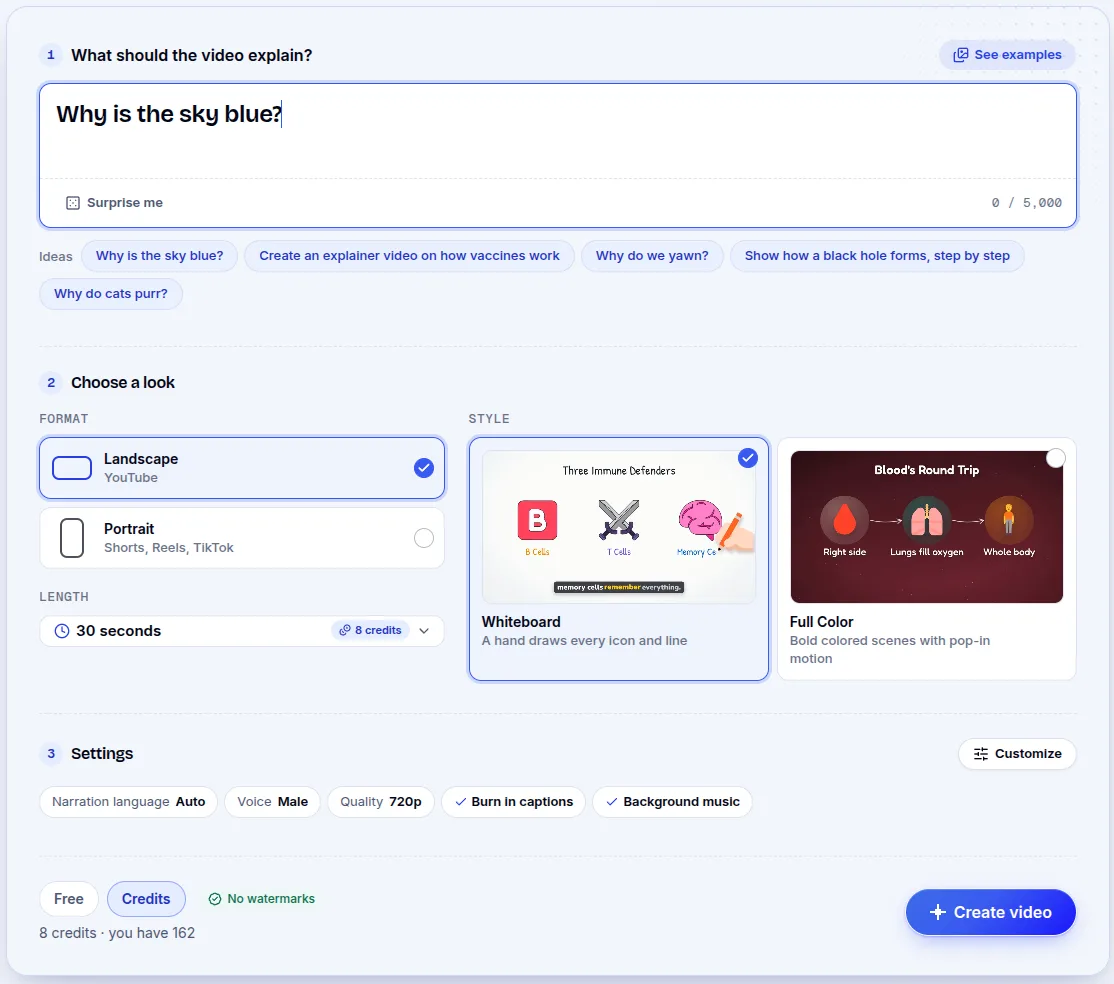
Begin with a typed topic, such as "Why is the sky blue?", or paste an existing script of up to 5,000 characters. Then set landscape or portrait framing, Whiteboard or Full Color, a length from 30 seconds to 10 minutes, and the narration language. The tool writes the script, draws each scene, records the voice, and adds captions and music. What comes back is an MP4, an SRT subtitle file, a thumbnail, and a YouTube title, description, and hashtags. You use it in a browser on a phone or computer.
Powtoon's editor, templates, and credit-based AI
Powtoon is an online video platform where work begins with a template; you edit scenes by drag and drop, or hand AI Anything to Video a document, some text, or a topic. Powtoon also has AI image generation, AI video clips, text to speech, avatars, translation, and dubbing. Most of those features spend credits, and each plan carries a set number of them. Exports come as MP4, PPT, or PDF, and you can publish straight to YouTube, Vimeo, Slack, Teams, and HubSpot. That control is what you pay for.

Powtoon subscriptions and GenPixy AI credits
Powtoon's free plan gives 720p, videos up to 3 minutes, and a watermark. Individual paid plans, from its pricing page:
| Plan | Billed monthly | Billed yearly | AI credits |
|---|---|---|---|
| Lite | $49 per month | $15 per month | 150 per month, or 300 per year |
| Professional | $99 per month | $40 per month | 350 per month, or 500 per year |
| Advanced | $199 per month | $125 per month | 800 per month, or 1,200 per year |
Lite lifts the watermark on 5 exports per month. Extra credits are $49 for 125, $99 for 300, or $149 for 450, and Enterprise pricing is quoted per company.
GenPixy AI charges for credits instead of a monthly subscription. The free tier gives you 3 videos a day, each up to 60 seconds at 720p, and asks for no credit card. For longer videos or 1080p, buy a credit pack from $1.00. A 720p minute costs about $0.15, and ten minutes stays under $1. The exact cost shows before the video starts, and prices in Indonesia are in rupiah.
The vaccines explainer, built from a typed topic
GenPixy AI made this video from one typed topic. Its drawings, narration, and captions all come from the tool.
Cartoon characters, avatars, and team tools in Powtoon
Powtoon has features GenPixy AI lacks: cartoon characters, camera moves, character lip-sync, and custom characters on Advanced, along with AI avatars, AI video clips, dubbing, and translation. Teams get collaboration, comments, brand control, and Enterprise admin. Exports include PowerPoint and PDF, and you can publish straight to Slack, Teams, and HubSpot. Paid plans allow videos as long as 30 minutes, but those extras have limits. AI features spend credits within a monthly cap, the free plan stops at 3 minutes with a Powtoon watermark, and you build or adjust every scene yourself because nothing finishes from one topic.
Powtoon for teams, GenPixy AI for one quick explainer
Powtoon is built for companies that produce many kinds of video as a team, which is more than one person usually needs. For clear explainers made quickly, GenPixy AI fits better: you type one topic and get a narrated video with captions and a subtitle file, with no monthly charge.
Questions about Powtoon's free plan and credits
Is GenPixy AI a Powtoon alternative?
For explainer videos with narration, yes. GenPixy AI produces the whole video from a single topic, where Powtoon is a broader business platform with templates, avatars, and team tools.
Is Powtoon free?
Yes, with limits: 720p, 3-minute videos, and a watermark. GenPixy AI's free tier allows up to 3 videos a day.
Which one is easier for beginners?
GenPixy AI asks for less. You type a topic, choose a look, and wait for the video. Powtoon hands you more control, which takes longer to learn.
Sources
The pages below were opened on 27 October 2026. Check current prices and plans before you pay.
Other tools are on our comparison page, and the AI explainer video generator roundup covers the wider field.
Create a free GenPixy AI video with no credit card.